

Your cart is empty!
 |


How to Check Your Starbucks Gift Card Balance
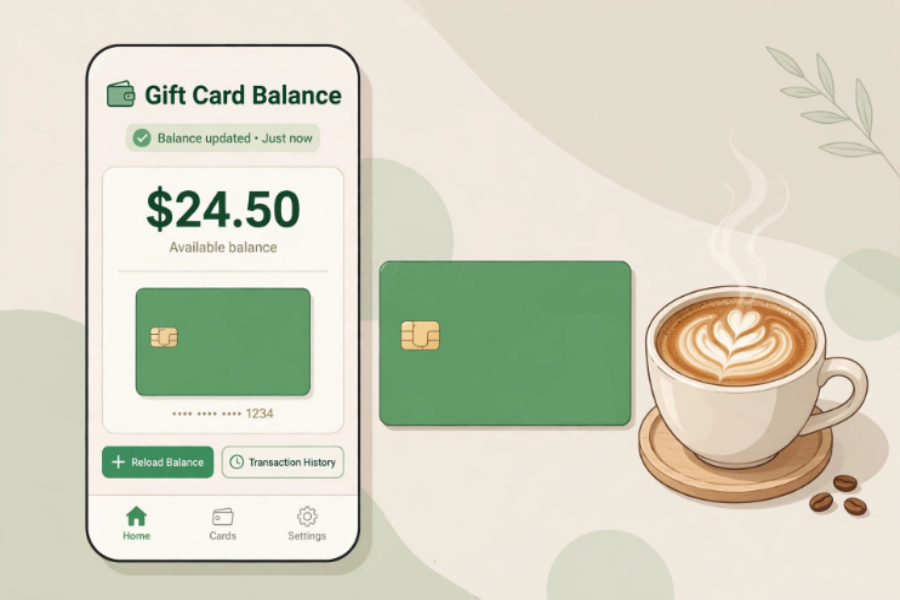
Image alt text: Smartphone showing a coffee gift card balance check beside a cup of coffee
Suggested image file name: check-starbucks-gift-card-balance.jpg
How to Check Your Starbucks Gift Card Balance
You can check your Starbucks gift card balance four ways: online at starbucks.com/card, in the Starbucks app, in store by asking at the counter, or by phone at 1-800-782-7282. Online and in the app are the fastest — you will need the card number and the PIN or security code from the back of the card.
This guide walks through each method, explains where to find the numbers you need, and covers what to do if the balance looks wrong — especially important if you bought your card discounted.
Find your card number and PIN first
On a physical card, the long card number is printed on the back. The PIN is usually hidden under a scratch-off panel nearby; scratch gently with a coin so you do not damage the digits. On an eGift, both numbers are in the delivery email — look for a “claim” or “show PIN” link if the PIN is not visible at first.
Keep the card or email until the balance is fully spent. If you contact Starbucks or GiftCardSaving support, the card number is what they will ask for. Never post a photo showing the full number and PIN, and never share them with someone who contacts you unexpectedly.
Method 1: Check online at starbucks.com/card
Go to starbucks.com/card.
Find the balance check option and enter your card number and PIN or security code.
Submit the form. Your current balance will be shown.
Note the amount and the date — a phone screenshot is an easy record.
If the page asks you to sign in to a Starbucks account, signing in also lets you save the card to your account, which makes future checks instant.
Method 2: Check in the Starbucks app
Open the app and add the card to your account using the card number and PIN. Once added, the balance appears with the card and updates as you spend. This is the most convenient method if you visit Starbucks regularly, because you can also pay from the app and watch the balance fall coffee by coffee instead of wondering what is left.
Method 3: Check in store
Ask any barista or cashier to check the balance. They can scan or swipe the card and tell you the amount, or print it on a receipt. In store is the best method if the card is damaged, the PIN will not scratch cleanly, or the online checker keeps rejecting your number — staff can often read the balance from the card itself.
Method 4: Check by phone
Call 1-800-782-7282, Starbucks' widely published customer service number, and follow the prompts for gift card balance. Have the card number and PIN ready to enter or read out. Phone checking is a good backup when the website is unavailable or when you want a person to help with a problem card.
Bought your Starbucks card discounted? Check it the day it arrives
If you bought a pre-owned Starbucks card from a marketplace like GiftCardSaving, check the balance as soon as the delivery email lands. eGifts are delivered by email usually within an hour, sometimes longer for verification. Confirming the amount on day one takes a minute and means that if anything is wrong, you are reporting it immediately.
Regular purchases on GiftCardSaving carry a 60-day money-back guarantee from the purchase date covering invalid or depleted cards. That protection only helps if you use it in time. Our guarantee page at /60-day-guarantee.html explains the terms, and our general guide at /check-gift-card-balance.html covers every other brand.
Common problems and fixes
The website will not accept my card number
Type the number slowly, without extra spaces. Check for look-alike characters and make sure you are entering the card number, not an order number from your purchase email. Then try the app or phone method — a second method often works when one form is being difficult.
My PIN is scratched or unreadable
Do not keep guessing. Go in store, where staff may be able to read the balance from the card, or call 1-800-782-7282 for help.
My balance is lower than I bought
First check whether anyone in your household used the card or whether it was added to an app and spent there. If the balance was wrong on arrival and you bought the card discounted, contact the seller's support at once with your order number. For GiftCardSaving, email [email protected] or text 818-938-0041 (text only).
My balance shows zero
Try a second method to rule out an error. If two methods show zero and the card is a recent purchase, contact support within the guarantee window — that is exactly the situation the 60-day guarantee on regular purchases is designed for.
A quick habit that protects every card you own
Every time a gift card arrives — bought, given or won — check it, note the amount and date, and give it a job: add it to the app, put it in your wallet, or set it aside for a specific purchase. Cards get into trouble by being forgotten, not by being used.
Frequently asked questions
Do I need a Starbucks account to check my balance?
No for a basic check at starbucks.com/card — you need the card number and PIN. An account and the app become useful if you want to save the card and see the balance any time.
Where is the PIN on a Starbucks gift card?
On the back of a physical card, under the scratch-off panel near the card number. On an eGift, it is in the delivery email, sometimes behind a claim link.
Can I check the balance of a Starbucks card someone gave me?
Yes — anyone holding the card number and PIN can check the balance using the methods above. That is also why you should keep those numbers private.
What if I want a Starbucks card at a discount instead?
Check /starbucks.html — Starbucks has listed at up to 12% off when in stock, and prices change with supply. Cards sell fast, so turn on notifications if it is sold out.
Balance checked and lower than your coffee habit needs? Top up for less — browse Starbucks cards at /starbucks.html and use code WEL1 for 1% off your first order.
Internal links used in this post:
/gift-card/balance.html
/starbucks.html
/check-gift-card-balance.html
/60-day-guarantee.html
